


Your Event Category
This is an Event Title
December 30
I'm a paragraph. Click here to add your own text and edit me. It’s easy. Just click “Edit Text” or double click me.
Your Event Category
This is an Event Title
December 30
I'm a paragraph. Click here to add your own text and edit me. It’s easy. Just click “Edit Text” or double click me.
Your Event Category
This is an Event Title
December 30
I'm a paragraph. Click here to add your own text and edit me. It’s easy. Just click “Edit Text” or double click me.
Your Event Category
This is an Event Title
December 30
I'm a paragraph. Click here to add your own text and edit me. It’s easy. Just click “Edit Text” or double click me.
Your Event Category
This is an Event Title
December 30
I'm a paragraph. Click here to add your own text and edit me. It’s easy. Just click “Edit Text” or double click me.
Your Event Category
This is an Event Title
December 30
I'm a paragraph. Click here to add your own text and edit me. It’s easy. Just click “Edit Text” or double click me.
Your Event Category
This is an Event Title
December 30
I'm a paragraph. Click here to add your own text and edit me. It’s easy. Just click “Edit Text” or double click me.
Your Event Category
This is an Event Title
December 30
I'm a paragraph. Click here to add your own text and edit me. It’s easy. Just click “Edit Text” or double click me.

TEACH.IO
App & AR
An innovative way of supporting the teaching experience of new college teachers
.jpg)


CHALLENGES & QUESTIONS
The challenges and opportunities confronting novice teachers come in a variety of styles and formats. When it comes to novice teachers, one major question arises: How are we to enhance the teaching experience of novice college teachers in an effective way? There are many possible answers to this question to explore.

Define problems
Analyze data and create users persona


AFFINITY DIAGRAM
.jpg)
.jpg)

.jpg)

.jpg)


PEER PRODUCTS REVIEW
Competitive research


Describe your image.

Describe your image.

Describe your image.
Describe your image.


USER REQUIREMENTS
Users should be able to prepare their class effectively
Users should be able to develop teaching skills easily
This application should support reminders or tips with the user during class
This application should help users improve the quality of the class
This application should connect with an external smart product
Users should be able to use the application smoothly during and after the class
Users should be able to collect resources efficiently

.jpg)
Explore ideas
Create IA, wireframes and high-fidelity prototype


EXPLORE
PROBLEM SOLUTION 1
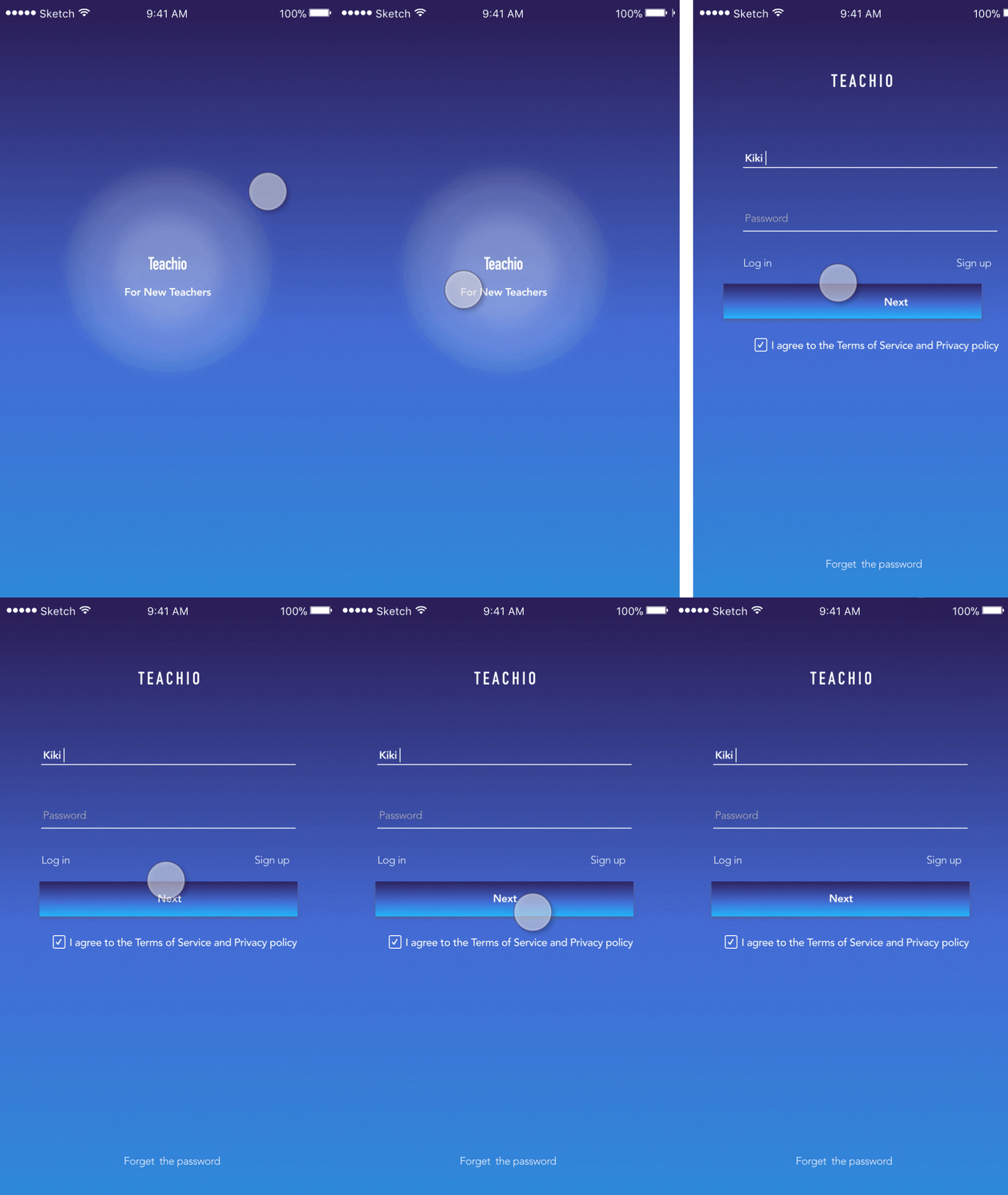
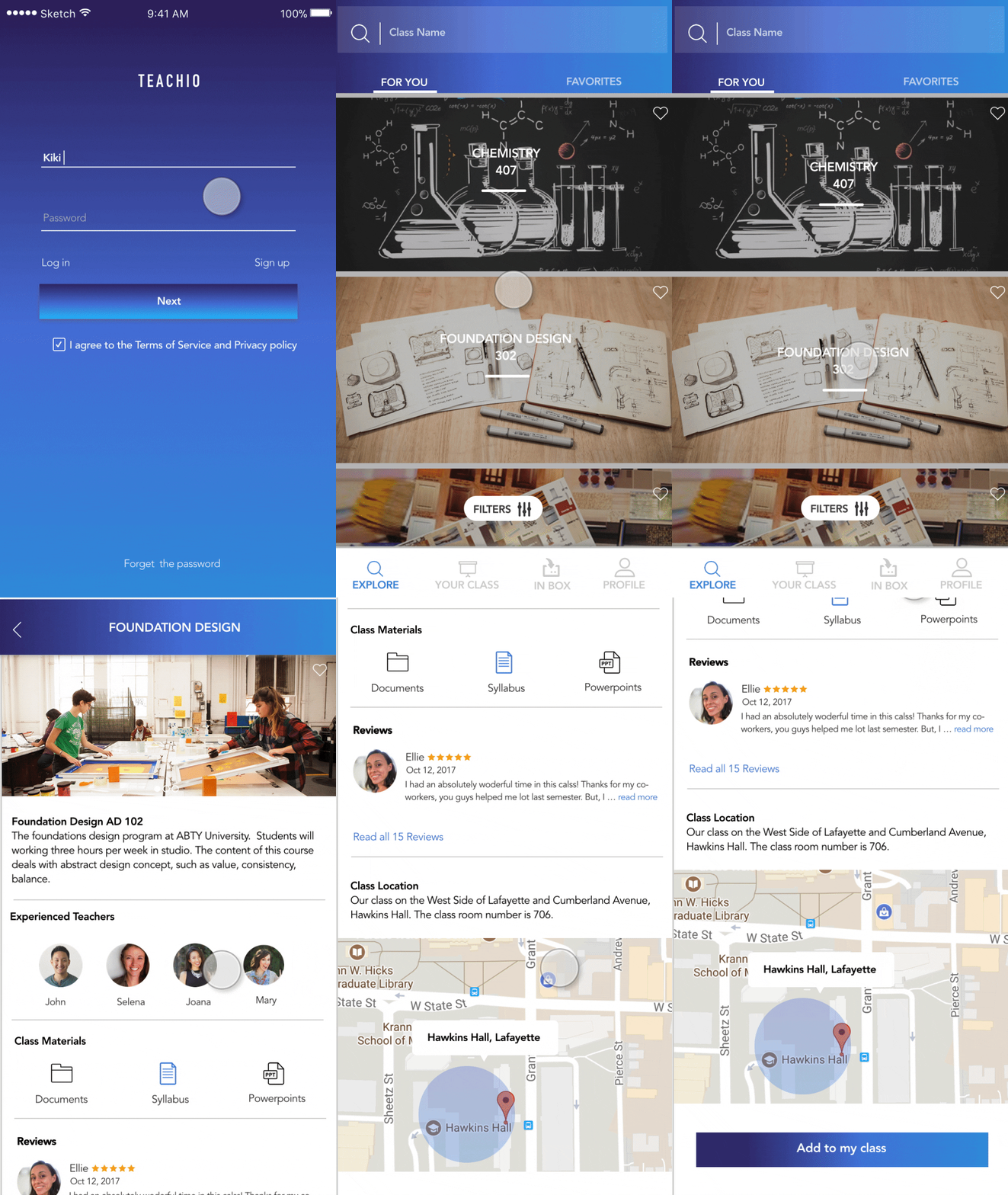
Problem recall - Difficult to prepare class
Solution - Users can use filters to select their classes basic on different preferences or their needs. In the class page, users will easy to find class basic information, materials, class reviews, and other experienced teachers. It provides general information about the class and well-organized class materials for users.






MY CLASS
PROBLEM SOLUTION 2
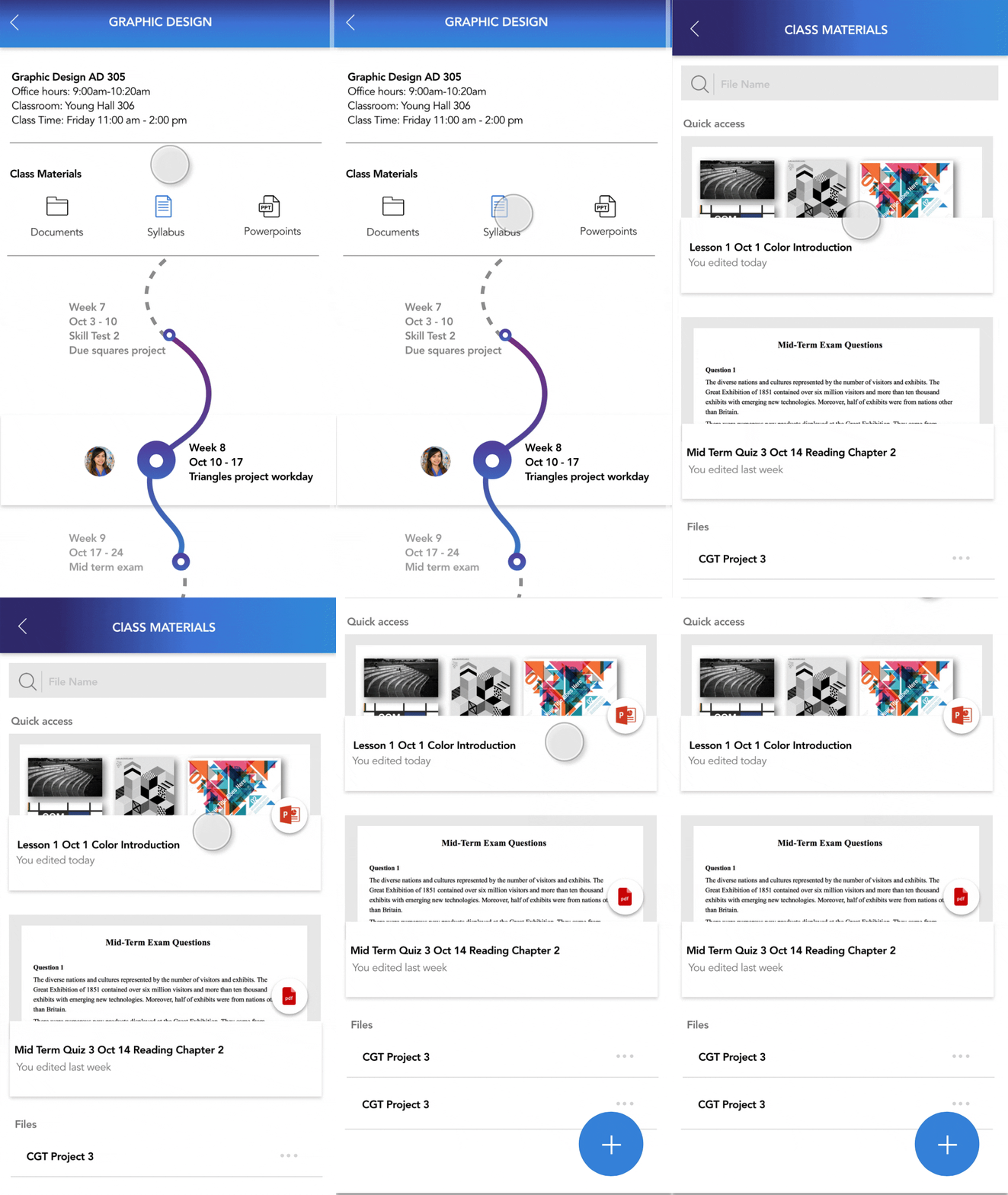
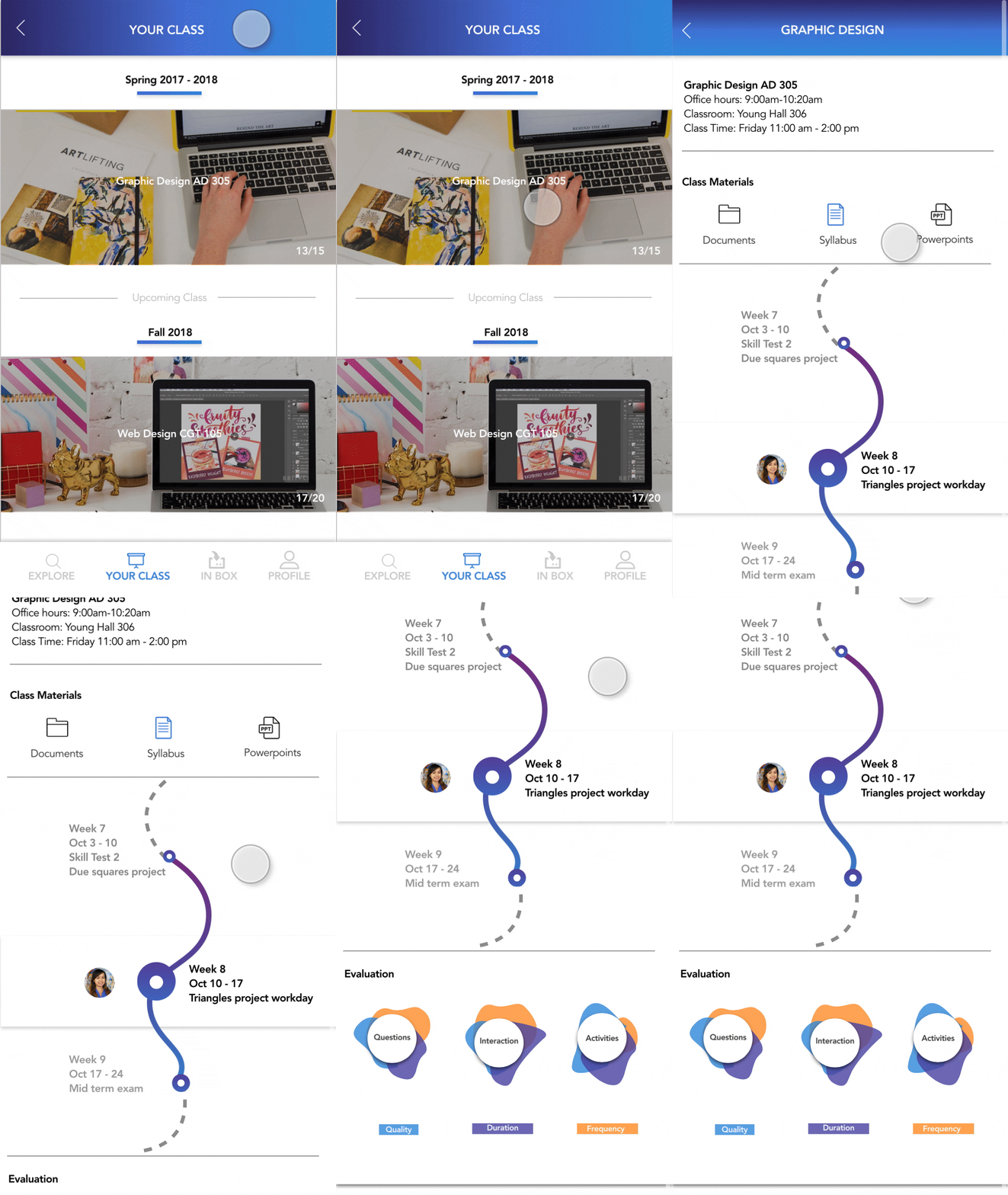
Problem recall - Lack of class-related communication with co-workers; Hard to organize and categorize the class materials
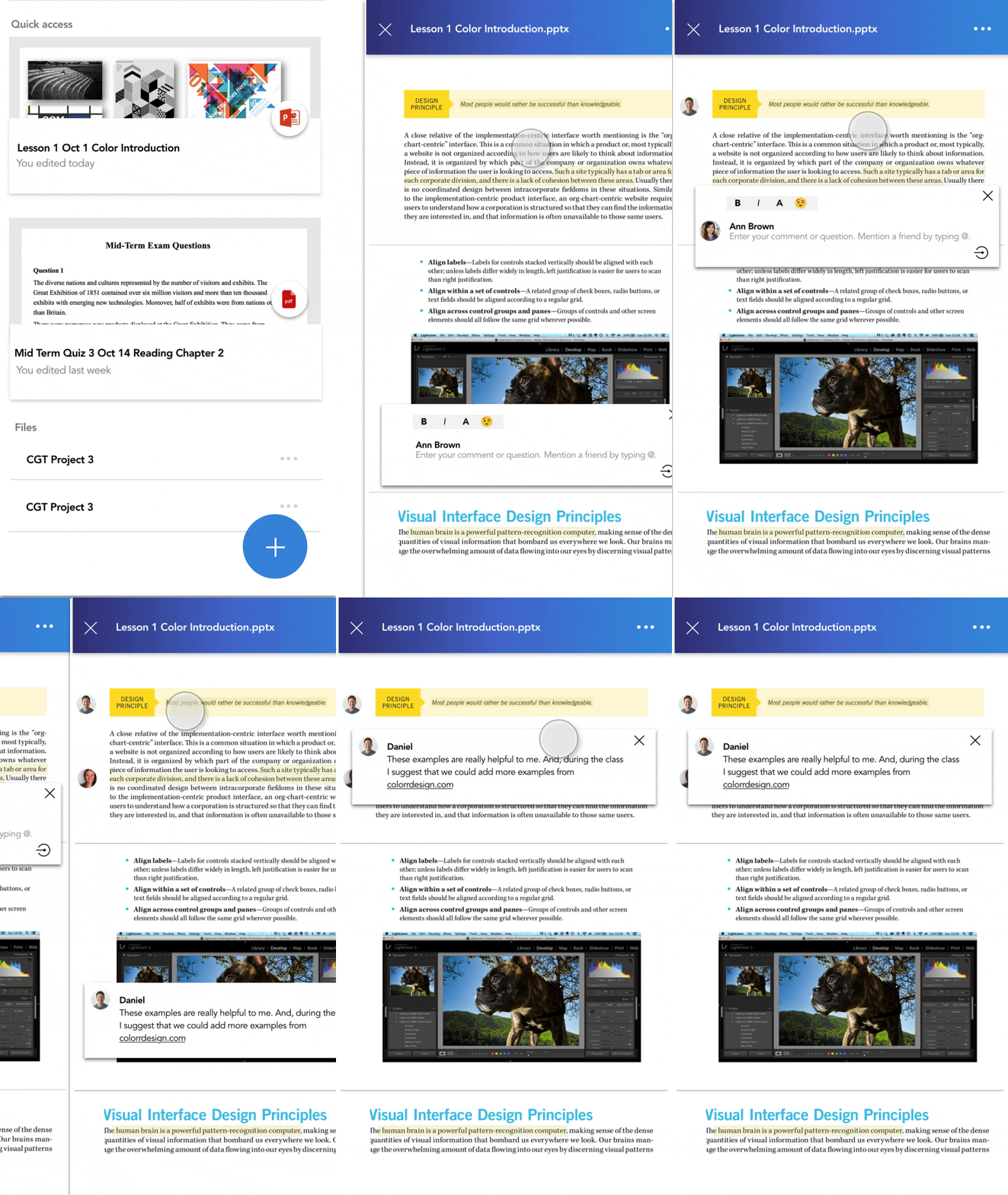
Solution - In my class page, open class resources allow new teachers and other teachers to share notes/highlights on their class materials. It provides a communication platform for users.
In my class page, users could organize their class materials in their own file basic own their ways.


Mobile + AUGMENTED REALITY PROJECTOR


MY NOTES
PROBLEM SOLUTION 3
Problem Recall - Improve the quality of class
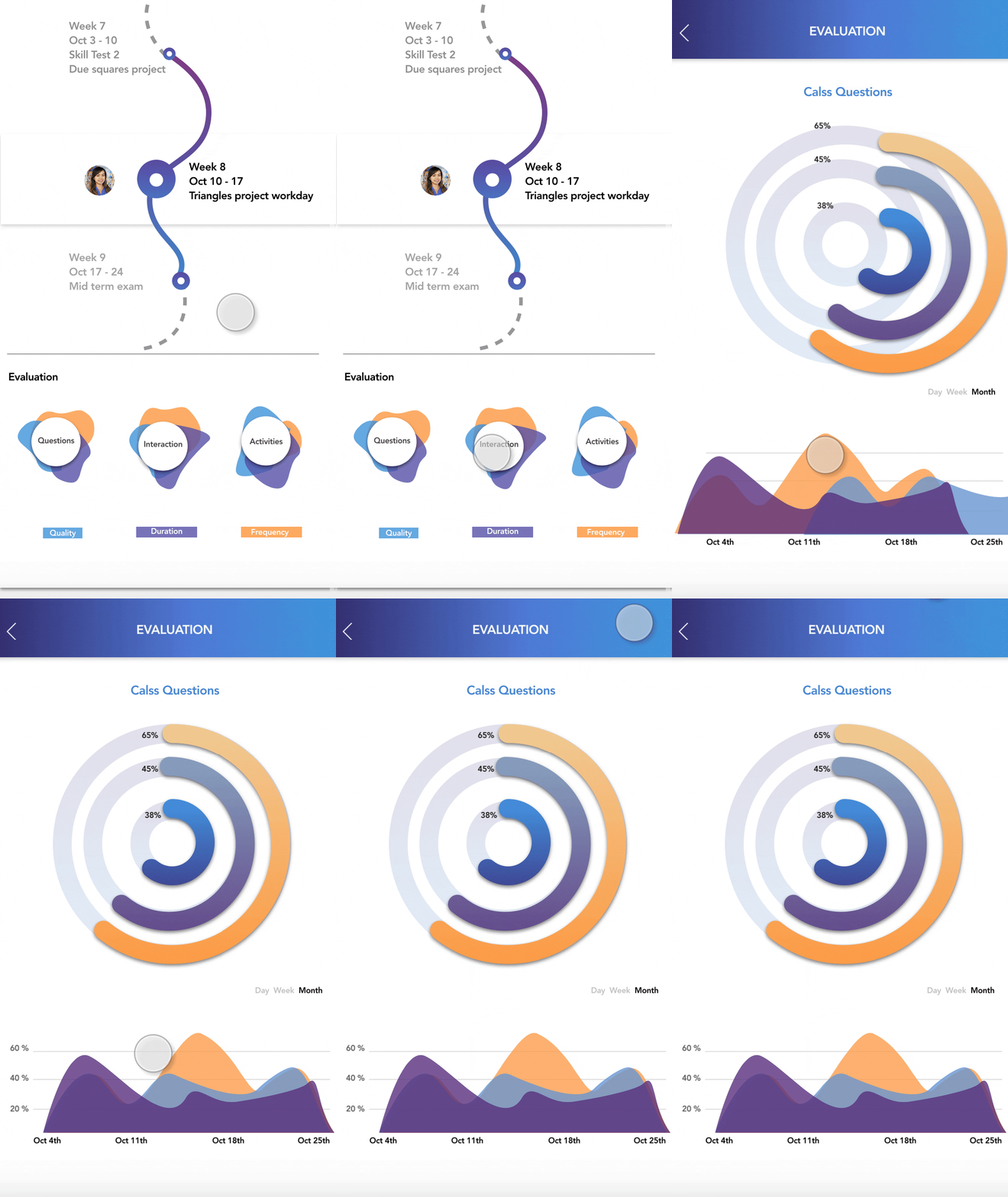
Solution - My note page allows users to organize notes with the 4 different formats. (voice, text, audio, and picture.) The keywords will remind users of the highlights of their notes. During the class, users can link their devices to the mobile application to check their notes and reminders.
AR PROJECTOR
PROBLEM SOLUTION 4
Problem Recall - Users need to receive reminders or tips during the class
Solution - When linking the device to the mobile application, the information will be sent to the projector. Users can check different notes/tips by interacting with the elements of the interface.


MY NOTES
My note page allows users to organize notes with voice, text, audio, and picture. Users can customized materials by different categories.


.jpg)


